 App for Wix sites
Omii: Upsell & Bundles
Bigger orders, without discount codes
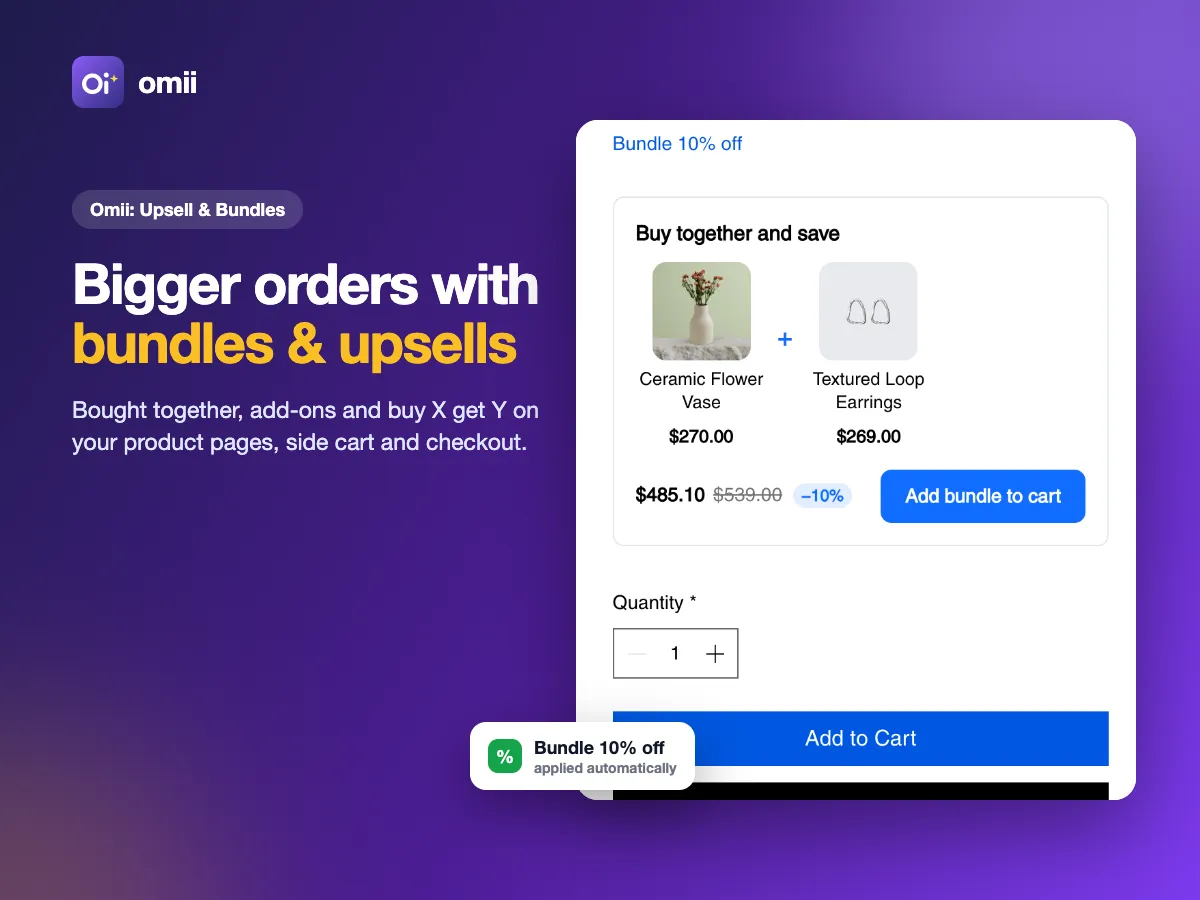
Show the right extra product at the right moment: on the product page, in the side cart and in the checkout summary. Bundles and buy-X-get-Y offers apply their discount automatically at checkout.
Free plan available. Paid plans are billed through Wix.
What it does
Frequently bought together and add-ons
Suggest products that go together on the product page, with a live preview in the style of your site.
Side cart and checkout
Up to two suggestions in the side cart and a last suggestion in the checkout summary.
Bundles with automatic discounts
Bundle and buy-X-get-Y discounts apply at checkout on their own, so shoppers see the real price in the cart.
Magic Setup and revenue
AI proposes ready-made offers from your catalog; the Revenue page shows the extra revenue each offer brought.
How it works
Read the guide →Install the app
Add it to your Wix store from the Wix App Market. The app opens with a short setup.
Create your first offers
Run Magic Setup to get ready-made offers from your catalog, or build one yourself with a live preview.
Add the widgets and watch revenue
Place the product page, side cart and checkout widgets from Home, then follow the extra revenue on the Revenue page.
See it in action
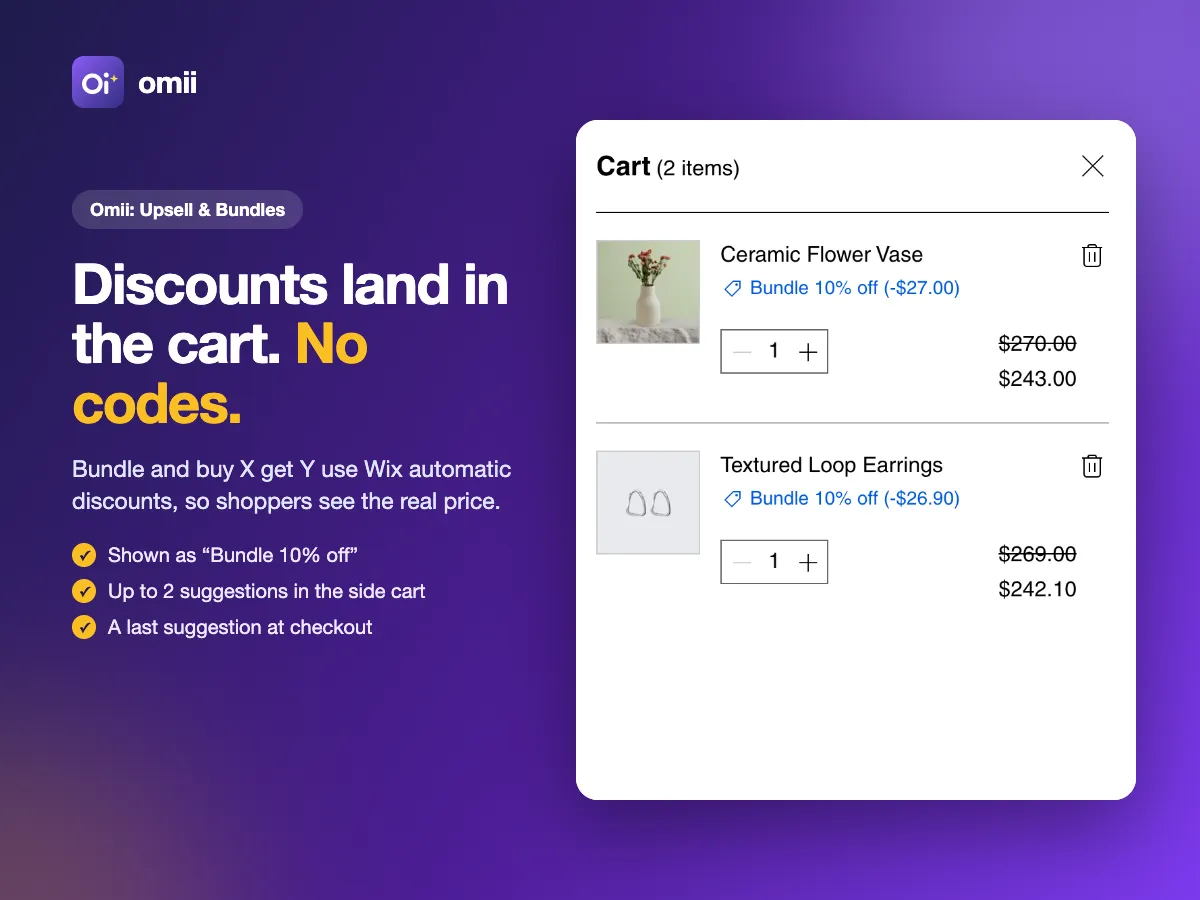
Bundle and buy-X-get-Y discounts applied in the cart, no codes 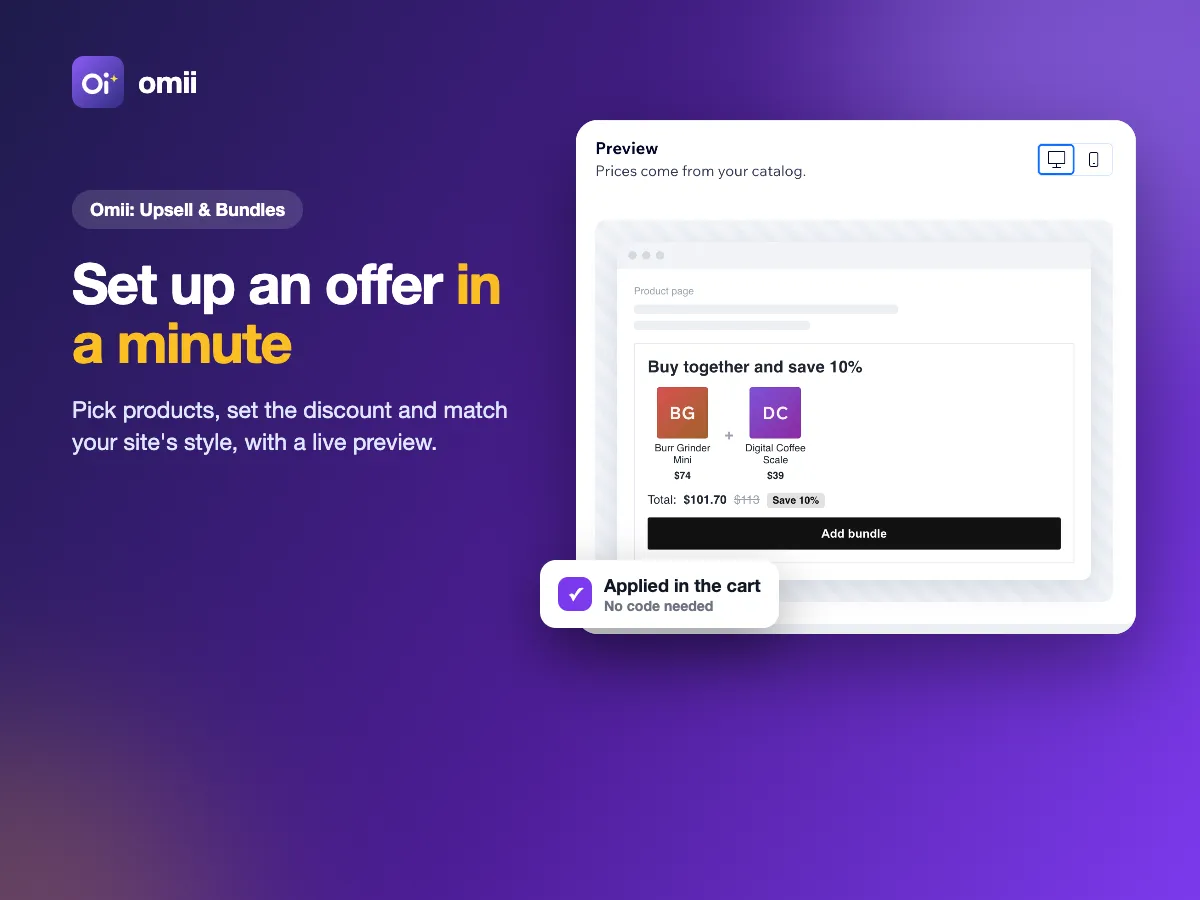
Setting up an offer in the editor 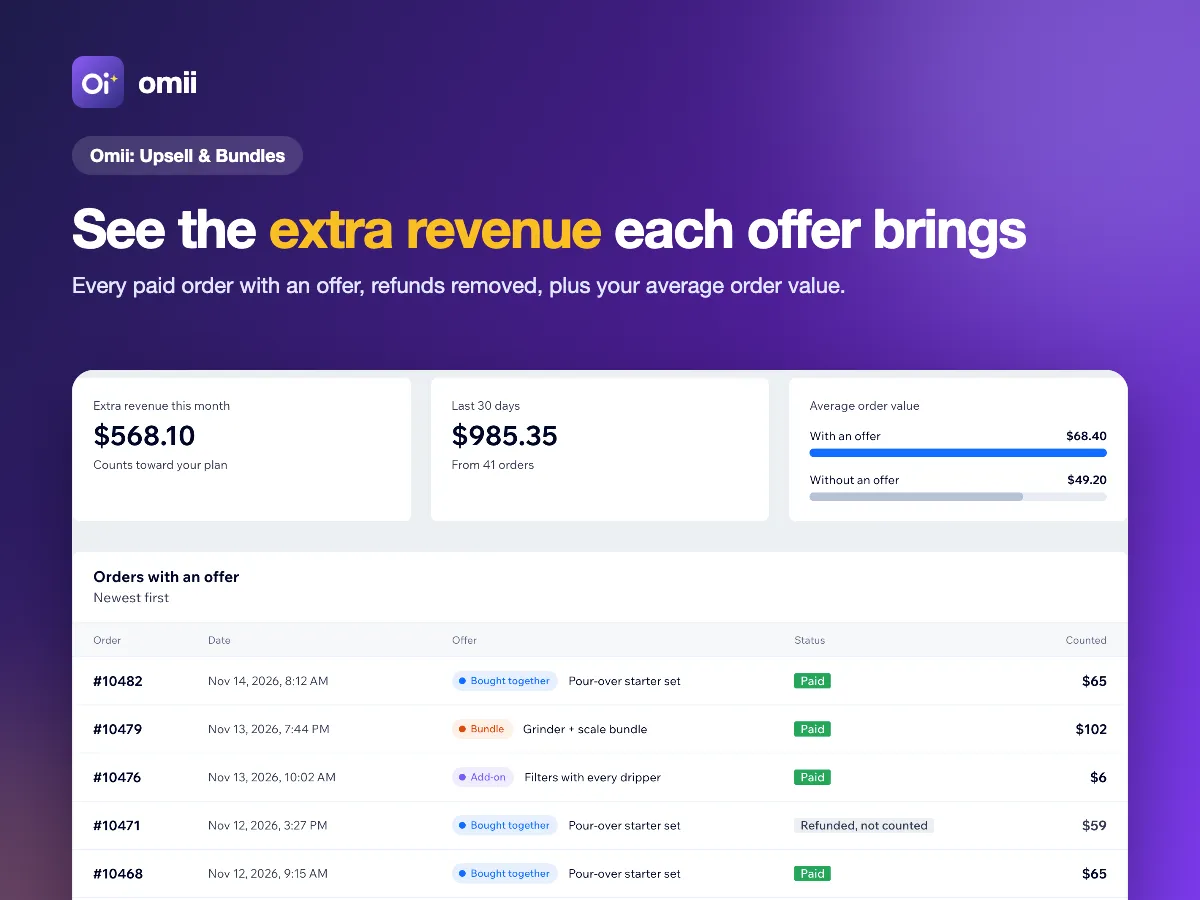
The extra revenue each offer brought 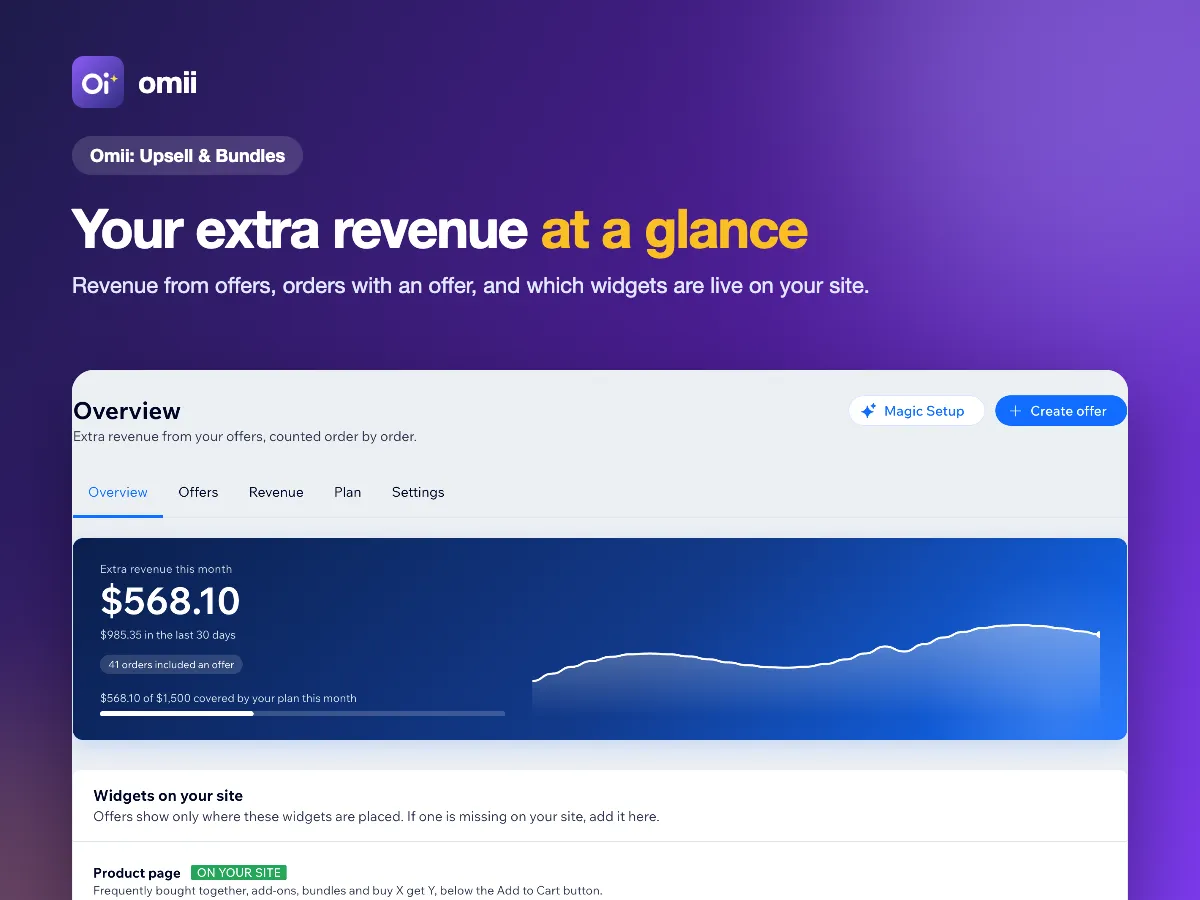
Overview of the extra revenue
Legal and support
Read how the app works with your data and the terms that apply to it. Questions? Write to us, we answer within 2 business days.